 OXTV
The IPTV player that just works.
Bring the Xtream account or M3U playlist you already have. OxTV plays it, on every Apple screen you own.
One subscription for every device and the whole family: yearly, with 7 days free, or monthly.

One subscription. Every screen. The whole family.
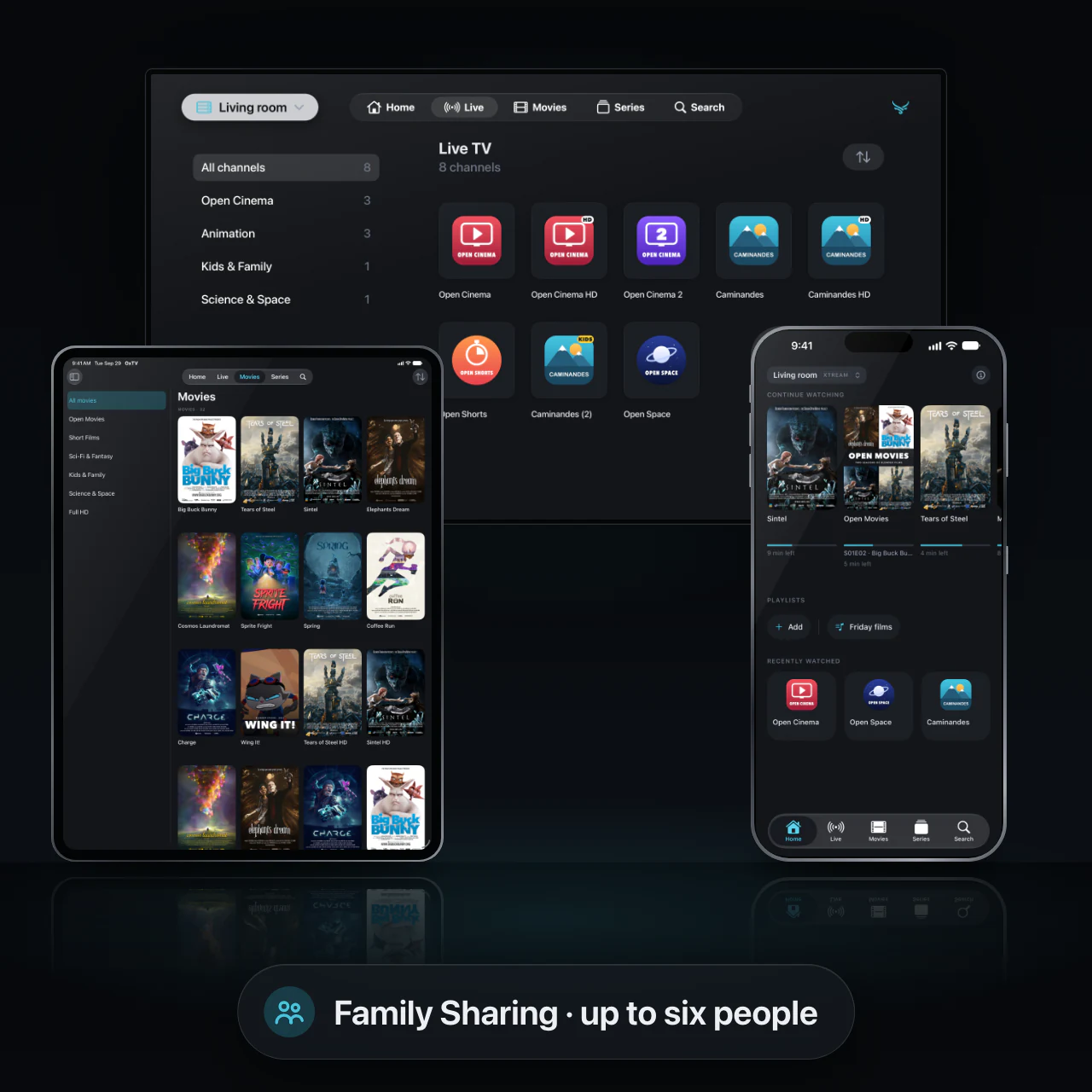
OxTV comes with no channels of its own — you bring the Xtream account or playlist you already have. One subscription covers iPhone, iPad, Mac and Apple TV, and Family Sharing brings in up to five more people at no extra cost.
- iPhone, iPad, Mac and Apple TV in the one subscription
- Family Sharing is on: up to five more people
- Xtream accounts, M3U links and M3U files
Add a source once. It's on every device.
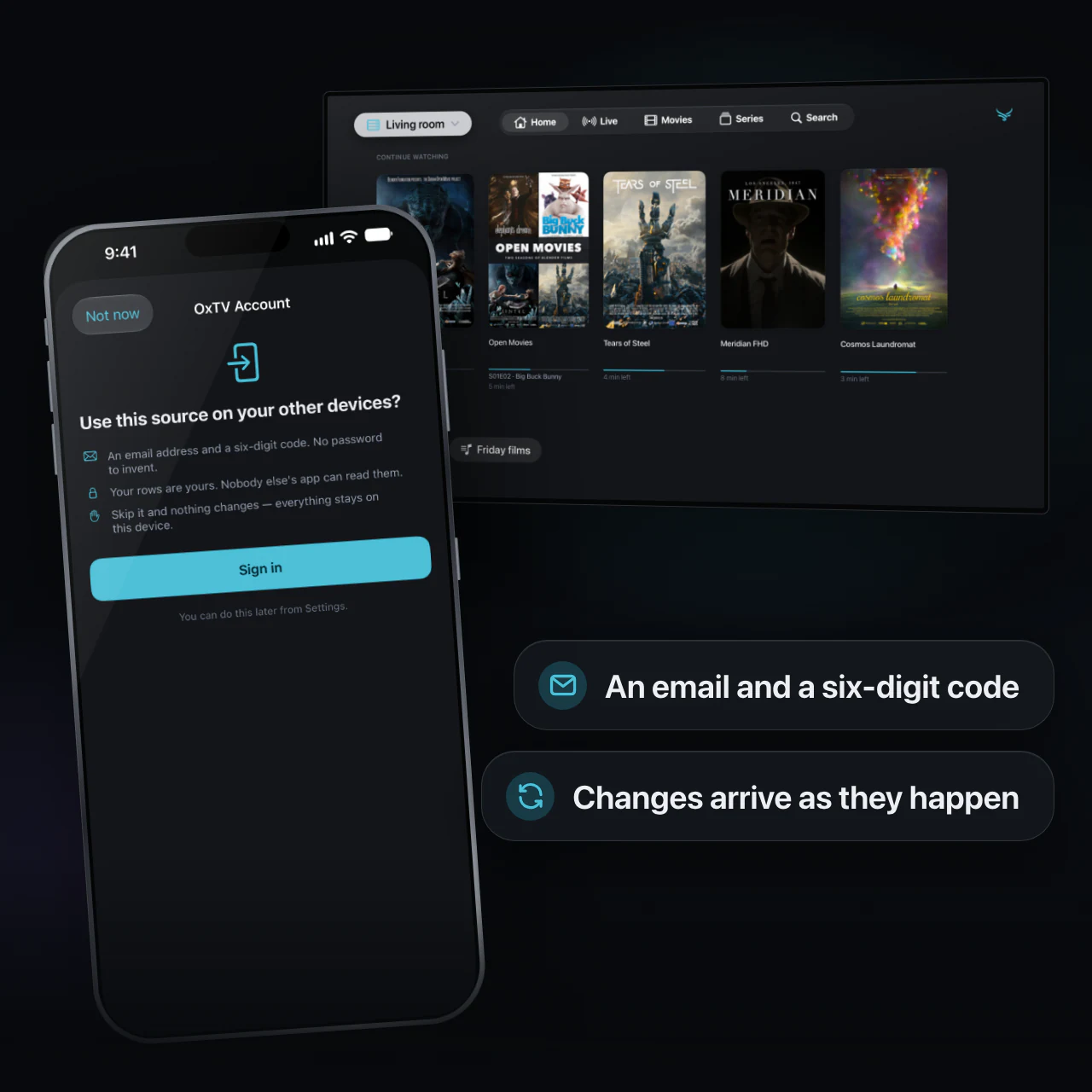
Sign in with your email and a six-digit code, and your sources — logins included — your playlists, favourites, what you have hidden and where you left off follow you to iPhone, iPad, Mac and Apple TV. Nobody types a panel password with a television remote.
- No password to invent, and a code rather than a link, so it works on an Apple TV
- Changes show up on your other devices as they happen
- Keep any source on one device only: its login and its history never leave it
- Optional: skip it and everything stays on the device, and the account can be deleted from inside the app
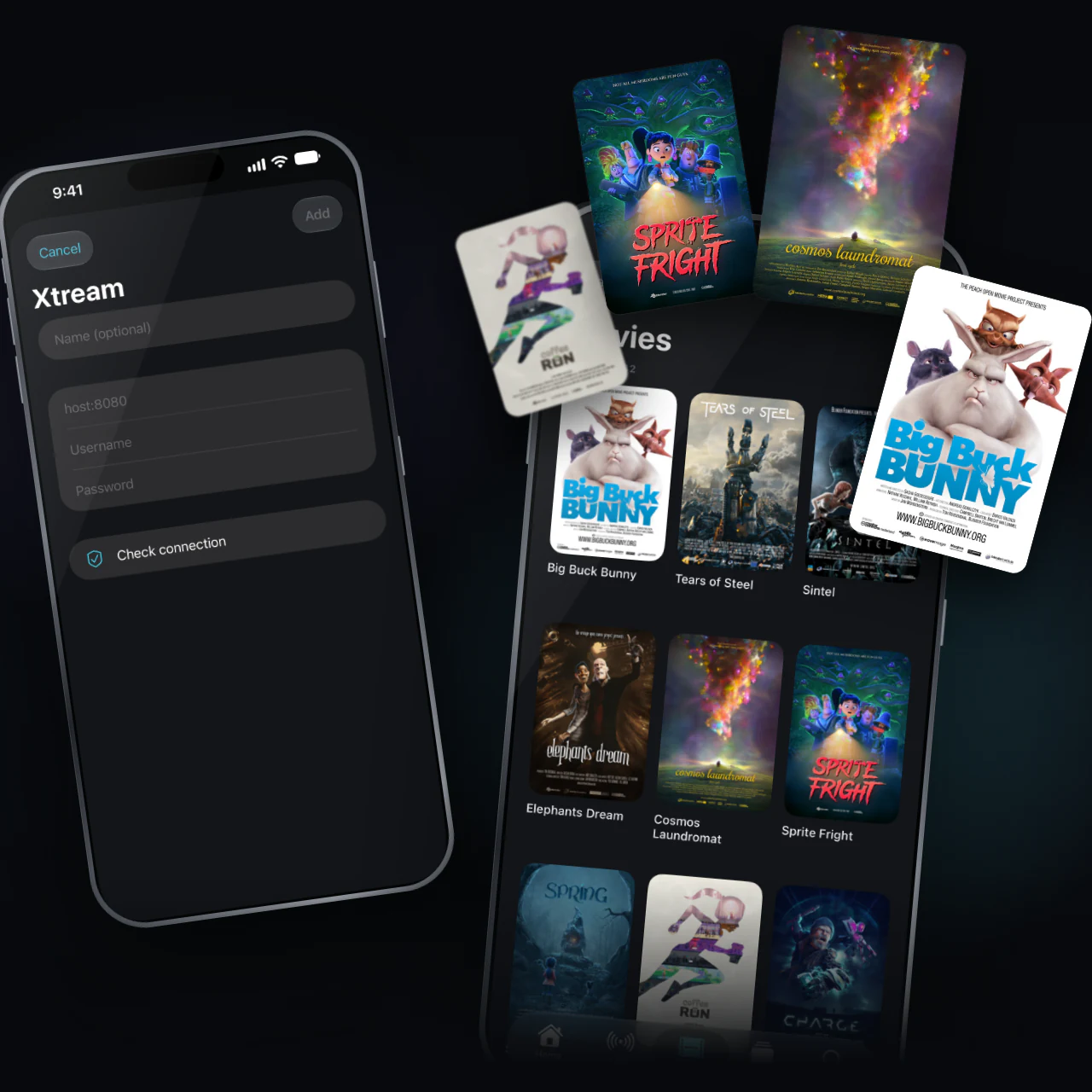
Add a source. That's the setup.
Everything lands in the same five places on every device: Home, Live, Movies, Series and Search. One source is open at a time, so two catalogues never blend.
- Channel logos, posters, seasons and episodes, as your source gives them
- Every listing your source offers, each as its own row — you choose which one plays
- Search that ignores accents and case
- Your own playlists and favourites
Pick up where you left off — on any screen.
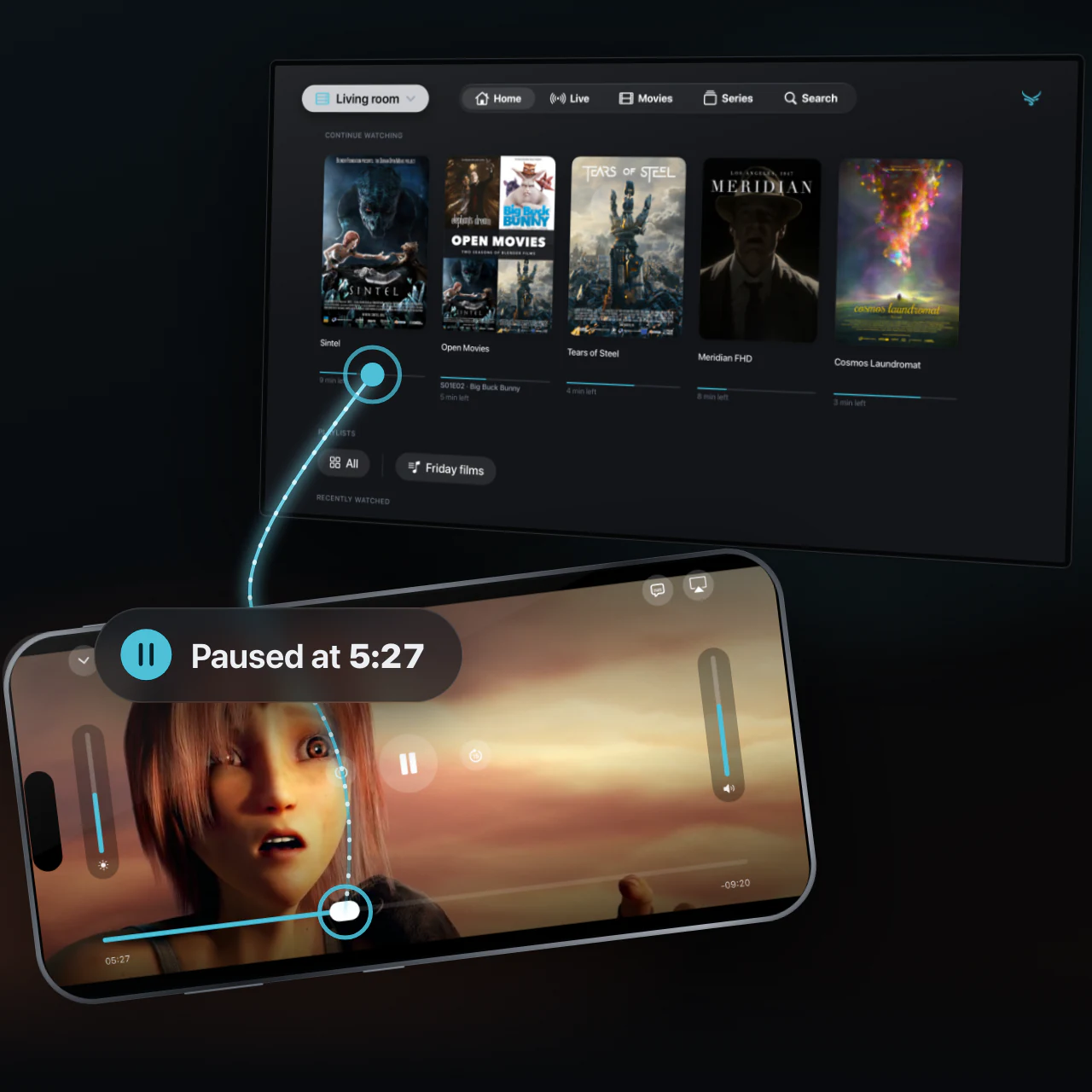
Continue Watching and Recently Watched keep your place in films and series. With sync on, a film you paused on your iPhone carries on from your Apple TV.
- Series remember which episodes you have seen
- The channels you watched are on Home, a tap away
- Take something off the shelf and it stays off until you watch it again; where you were is kept
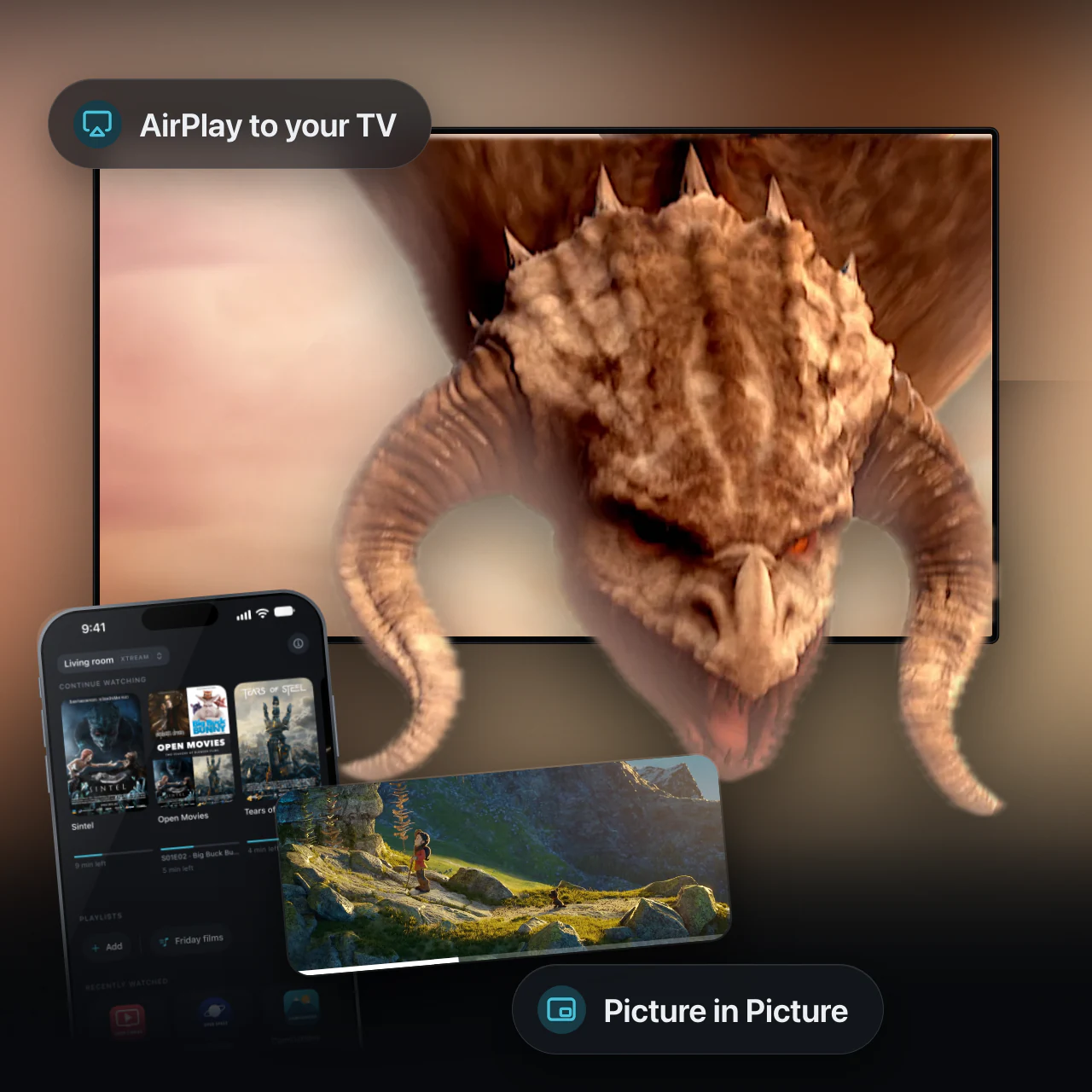
AirPlay and Picture in Picture that actually work.
OxTV plays everything through Apple's own player. When a stream arrives in a format that player won't take, OxTV converts it on your device instead of swapping in a player of its own — so AirPlay, Picture in Picture, the mini player and the lock screen keep working.
- Picture in Picture on iPhone, iPad and Apple TV
- AirPlay to your television or speakers, converted streams included
- Now Playing on the lock screen and in Control Centre
- Audio tracks and subtitles, switchable while it plays
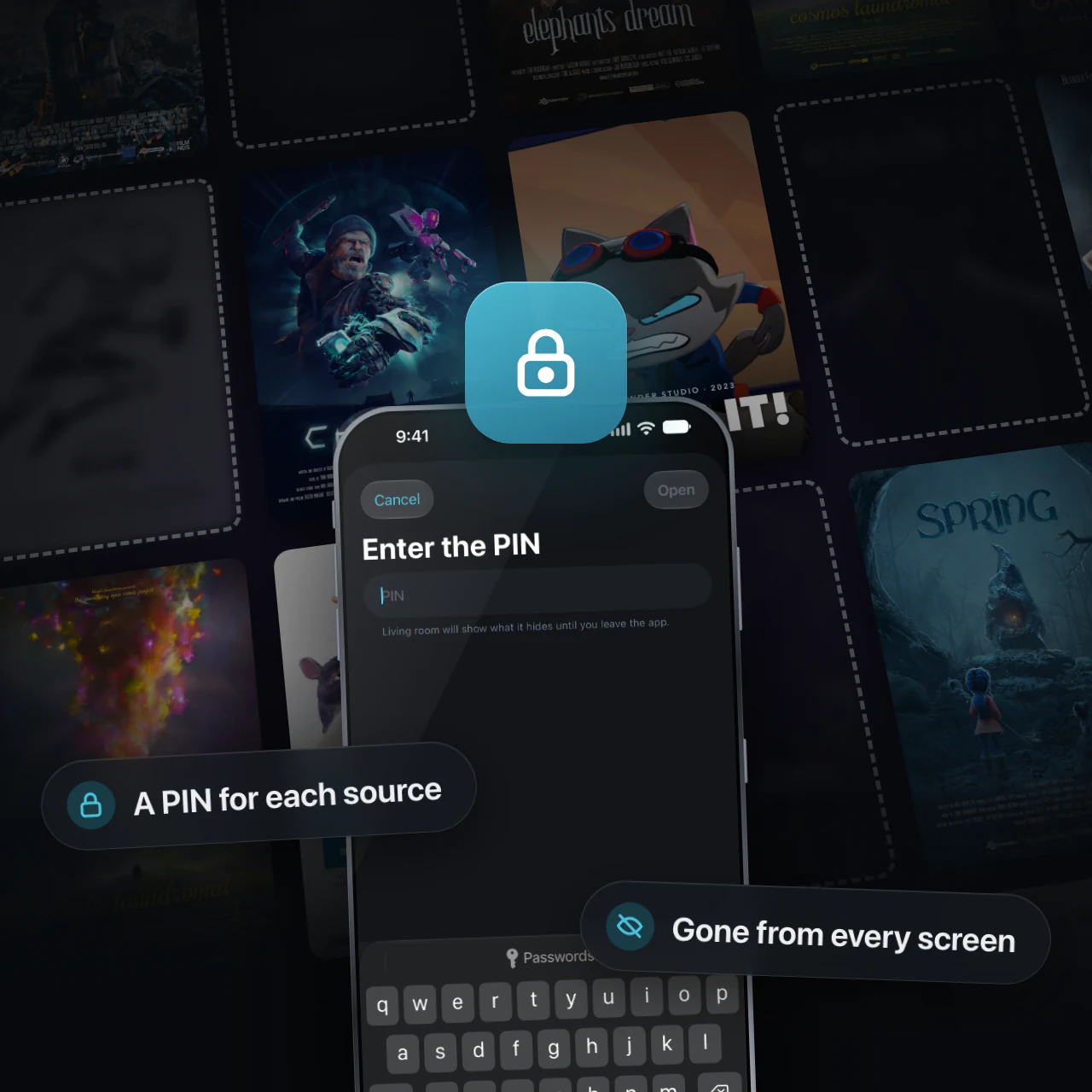
Hide what isn't for everyone — on every screen.
Give a source a six-character PIN and hide any category, channel, film, series or playlist. Hidden things disappear from Home, the lists, search and the guide — and when you're signed in, the lock follows you to your other devices.
- Each source has a PIN of its own; one never opens another
- Showing what is hidden asks for the PIN, and lasts until you leave the app
There is no recovery for a forgotten PIN. Hiding keeps things off every screen in the app; it is not encryption.

No ads. No tracking.
No advertising, no analytics and nothing that watches what you watch. Nothing is sent to us unless you sign in to sync.
One app, built for each screen it lands on.
Drawn for the Apple TV remote first, then given touch and a pointer where they belong.
iPhone
Double-tap to skip, hold for double speed, drag down to keep it playing in a corner. Brightness and sound have sliders of their own.
iPad
The whole catalogue at once, in a window or full screen, with channels, posters and categories side by side.
Mac
Menu-bar commands and keyboard shortcuts, and a player you can pull down into the corner of the window.
Apple TV
Built around the focus ring, with the system's own player — channel up and down from the remote — and a sign-in finished with a six-digit code.
Coming
- Several streams at once on iPad, Mac and Apple TV
- Faster channel switching
- Backup and restore of your setup as a single file
- A stats overlay: bitrate, resolution, dropped frames, buffer
Included in the same subscription as they arrive.
Not planned
- Any channel, playlist or provider supplied by us
- Recording streams to disk
- Chromecast
- Advertising, analytics or anything that watches what you watch
Yearly or monthly, as you like.
Every platform, every device signed in to your Apple Account, and up to five more people through Family Sharing.
- Yearly with 7 days free, or monthly
- iPhone, iPad, Mac and Apple TV — all included
- Family Sharing for up to six people
- Every feature. No tiers, no add-ons, no adverts
- Cancel in Settings whenever you like
Billed through Apple, with the price shown in the App Store in your own currency. Content is not included and never will be — you bring your own source.
Three steps, then you are watching.
1. Add a source
Choose the kind you have: an Xtream account (address, username, password), a playlist address, or a playlist file.
2. Let it load
OxTV reads everything the source lists and keeps a copy on the device. A large one takes a while the first time; after that a refresh is quick.
3. Press play
Then make it yours: favourites, your own playlists, a PIN on the sources that need one, and sign in if you want your other devices to agree.
What it needs.
- A source of your own — OxTV supplies none
- An internet connection able to carry what your source sends
- An email address, only if you want sync
| iPhone | iOS 18 or later |
| iPad | iPadOS 18 or later |
| Mac | macOS 15 or later |
| Apple TV | tvOS 17 or later |
The ones we are asked most.
If the answer is not here, write to us and a person will read it.
Does OxTV come with channels?
No — and it never will. OxTV has no channels, no playlists and no list of providers. You add an address you already have, and the app plays what is at it. Without a source of your own, OxTV has nothing to show.
Can you recommend a provider?
No, and we cannot help you find one. OxTV has no relationship with any provider, carries no list of them, and never will.
A channel does not play, but others do
Sources routinely list the same channel several times over — the plain name, then "… HD", "… 4K" or a backup — and those are different streams, often on different servers. One being down says nothing about the others, so try the next one in the list.
Nothing loads after adding a source
Check, in this order: that the address is exactly as your provider gave it, port included; that the username and password have no stray spaces; and that your provider has not limited how many devices may connect at once, which is the usual reason a source that worked yesterday stops.
Is my login safe?
It is kept in the Apple Keychain, encrypted by the operating system — never in the app's own database. If you turn on sync it travels with your account, so you do not have to type it into the Apple TV; a source marked as staying on one device never sends it anywhere.
If your source's address is not https, OxTV tells you. It still works, but your login then travels unencrypted, and that is a property of the server, not of the app.
Do I need an account? My other device has not caught up
Only if you want your devices to agree. Signing in with your email and a one-time code turns on sync; skipping it leaves the app working exactly as well, with everything kept on the device.
If a device lags behind, check that both are signed in with the same email address, and that the source is not marked as staying on the device it was added to — that one, with its playlists and history, is left out of sync on purpose.
My sources disappeared from the Apple TV
Apple TV gives apps almost no storage that is guaranteed to stay. Everything else lives in space the system may clear while the app is not running, when the Apple TV is short of room — and OxTV's library is kept there because tvOS allows it nowhere else.
If you are signed in, nothing is lost: open the app and your sources, their logins, your playlists, favourites and what you have watched come back from your account. If you are not signed in, you will have to add your sources again.
I have forgotten a source's PIN
There is no way round it, by design. We cannot lift it, Apple cannot lift it, and reinstalling will not: what that source hides stays hidden. The only remedy is to remove the source and add it again, which loses the playlists and history attached to it.
Managing, cancelling or restoring the subscription
It lives with Apple, not with us: Settings › [your name] › Subscriptions on iPhone or iPad, and System Settings › [your name] › Media & Purchases on a Mac. Refunds are Apple's to give, at reportaproblem.apple.com.
On a new device, sign in to the same Apple Account and the subscription follows, on every platform; if the paywall still shows, use Restore Purchases on it. Family Sharing members are covered the same way, with no purchase of their own.
Write to us. A person reads it.
Tell us the device, the version of OxTV from its About screen, the kind of source, and what you saw. That is usually enough to find it.
Please do not send us your source's username and password. We never need them, and we would rather not have them.
The films and channels in these pictures are open works anyone may show: the Blender Foundation's open movies (CC BY), Netflix's Meridian (CC BY 4.0) and NASA's footage (public domain; NASA does not endorse OxTV). OxTV itself comes with no content.